


AWS Audit Readiness - Building an Evidence Pipeline

Introduction
Audit readiness is the ability to produce evidence for access control, change control, traceability, configuration history, and recovery, on demand.
AWS documents these ideas as core security and operational best practices, including traceability through logs and configuration history.
This guide focuses on building an evidence pipeline using AWS-native services so that audit artifacts are continuously generated rather than assembled at the last minute.
Not legal advice. This is an engineering guide for generating evidence.
What you will end up with
By the end, you will have:
- Centralized human access with temporary credentials and phishing-resistant MFA options. (AWS Identity and Access Management best practices)
- Account-wide API activity logging with integrity validation, plus tamper resistance at the storage layer. (Working with CloudTrail trails)
- Configuration history and point-in-time snapshots delivered to S3. (How AWS Config Works)
- Least-privilege improvement workflows based on observed access. (IAM Access Analyzer policy generation)
- Backups with immutable protections and automated restore testing. (Logically air-gapped vault)
- A place to download AWS's own SOC reports and compliance documents. (Downloading reports in AWS Artifact)
Step 0: Decide what "evidence" means in your org
A practical default is to maintain evidence in these buckets:
- Change control — what changed, when, and who approved it. (The 6 Pillars of the AWS Well-Architected Framework)
- Identity for humans — who can access and how they authenticate. (AWS Identity and Access Management best practices)
- Identity for machines — roles, not long-lived user keys. (Security best practices in IAM)
- Traceability — API logs and integrity. (AWS Well-Architected Framework - Detection)
- Config history and inventory — what existed at a point in time. (How AWS Config Works)
- Recovery — backups and restore proof. (Restore testing)
- Cloud provider compliance documents — AWS reports. (Downloading reports in AWS Artifact)
Step 1: Lock down change control with "operations as code"
AWS Well-Architected design principles explicitly recommend performing operations as code and making frequent, small, reversible changes. (The 6 Pillars of the AWS Well-Architected Framework)
Minimum baseline:
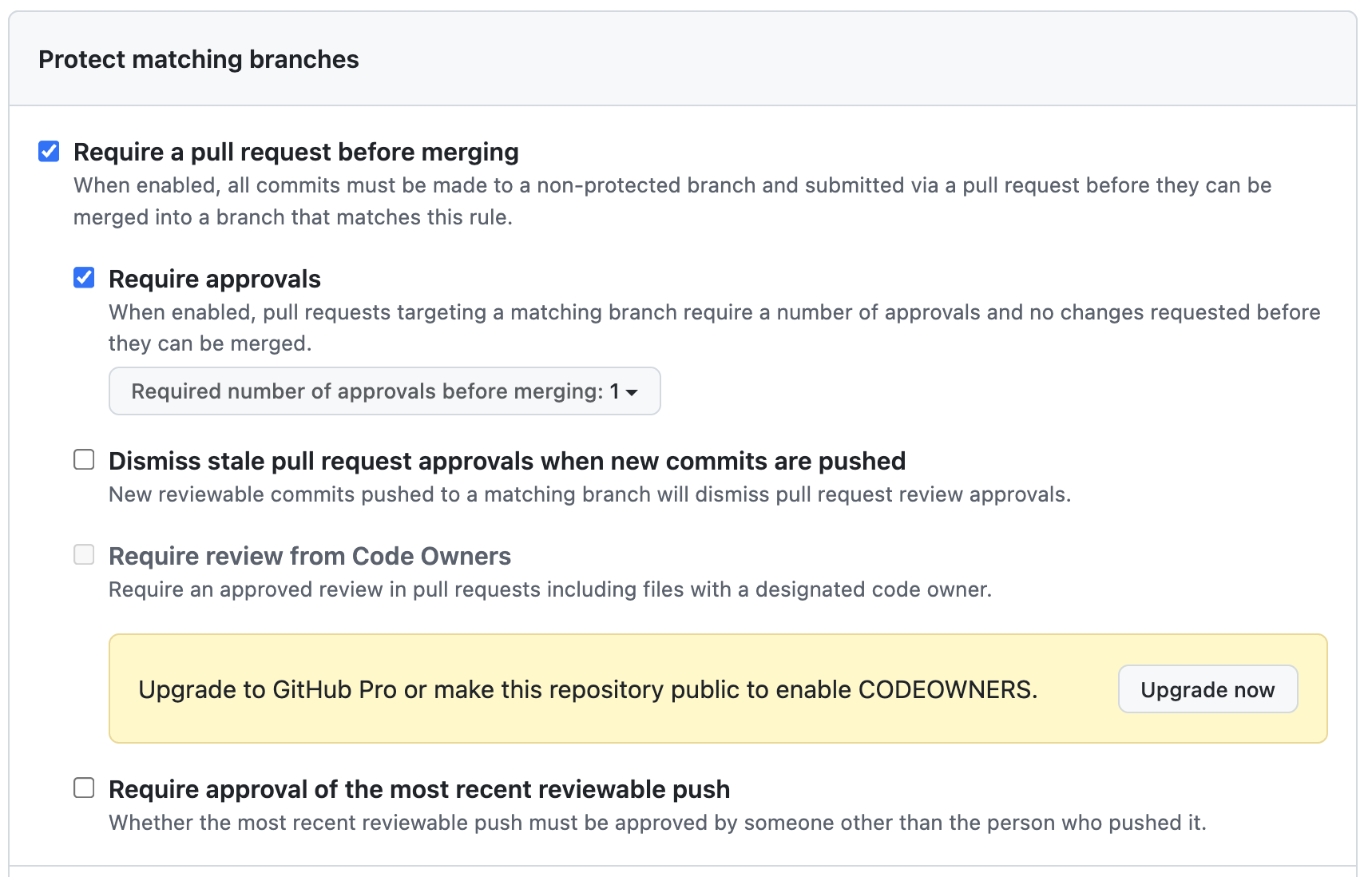
- Put infrastructure changes behind pull requests and reviews. (Managing a branch protection rule)
- Require status checks before merging to protected branches. (About protected branches)
- Prevent force-push and deletion on your main branch. (About protected branches)
Step 2: Fix identity the way AWS recommends (humans vs machines)
AWS recommends IAM Identity Center for centralized access management across accounts. (AWS Identity and Access Management best practices)
AWS also states IAM users are generally not the best choice for most use cases because they are long-lived credentials you manage directly. (Use cases for IAM users)
2A) Human access: IAM Identity Center + roles
- Use IAM Identity Center for workforce access and permission sets into accounts. (AWS Identity and Access Management best practices)
- Prefer role-based access with temporary credentials over long-lived IAM user credentials. (AWS Identity and Access Management best practices)
2B) MFA: prefer phishing-resistant options
AWS supports FIDO2 authenticators for IAM Identity Center, and documents that FIDO2 credentials are phishing-resistant. (Available MFA types for IAM Identity Center)
AWS also documents using FIDO2 devices (security keys or device-bound passkeys) for IAM MFA where supported. (Supported configurations for using passkeys and security keys)
2C) Machine access: roles, not user keys
Use IAM roles for workloads and automation instead of creating IAM users with long-lived access keys. (Use cases for IAM users)
Step 3: Turn on CloudTrail for traceability and log integrity
AWS positions CloudTrail and AWS Config as key detective controls for auditing and traceability. (AWS Well-Architected Framework - Detection)
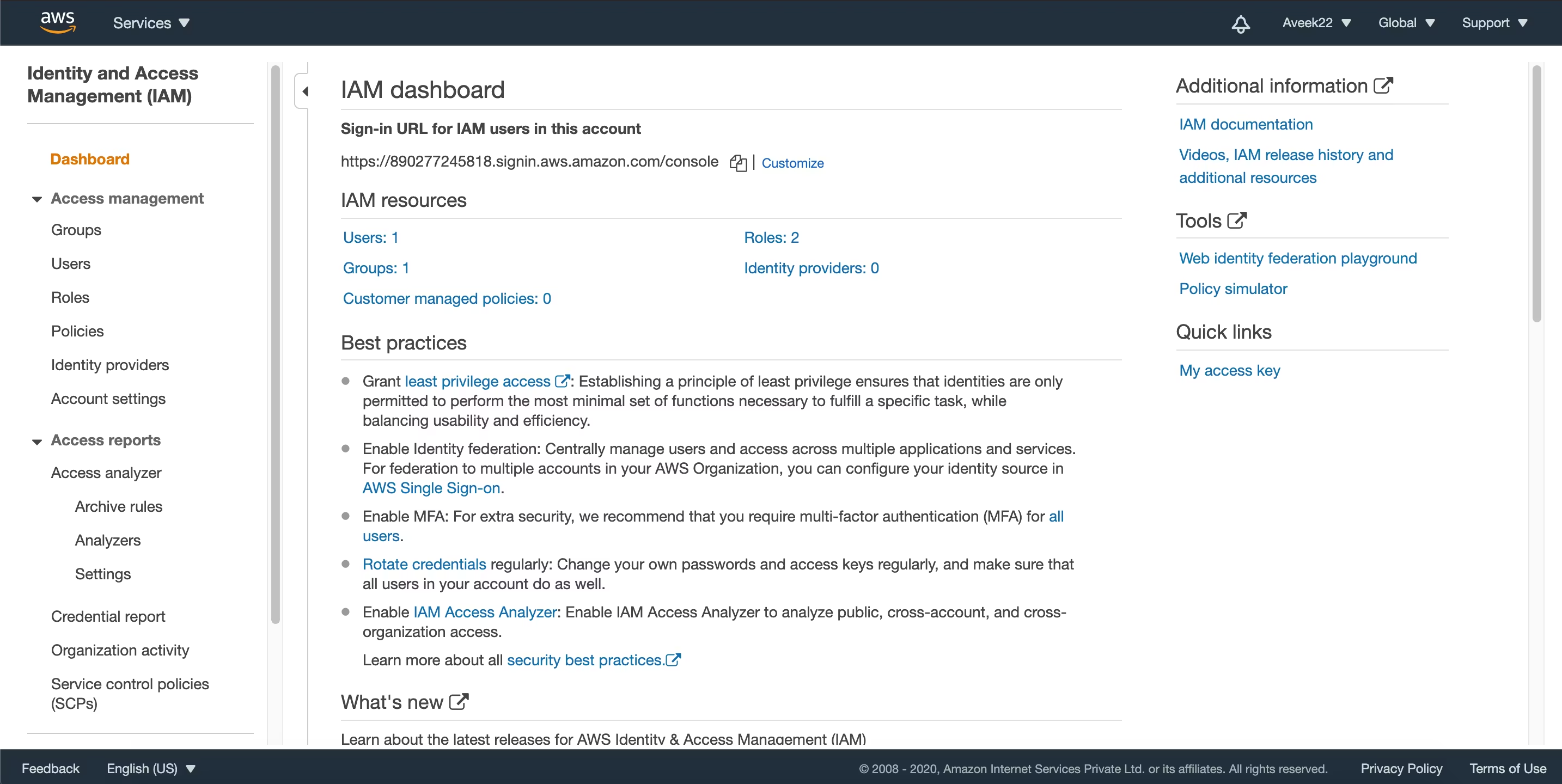
3A) Use a multi-Region trail (or organization trail)
AWS recommends multi-Region trails because they capture activity in all enabled Regions. (Working with CloudTrail trails)
A multi-Region trail delivers log files to an S3 bucket you specify. (Working with CloudTrail trails)
If you use AWS Organizations, you can create an organization trail that logs events for all accounts, and member accounts cannot modify or delete it. (AWS CloudTrail and AWS Organizations)
3B) Enable log file integrity validation
CloudTrail integrity validation uses SHA-256 hashing and SHA-256 with RSA for signing, and it is designed to detect log modification or deletion. (Validating CloudTrail log file integrity)
3C) Validate logs with AWS CLI
AWS documents cloudtrail validate-logs as the command to validate CloudTrail logs using delivered digest files.
aws cloudtrail validate-logs \
  --trail-arn arn:aws:cloudtrail:REGION:ACCOUNT_ID:trail/TRAIL_NAME \
  --start-time 2026-01-01T00:00:00Z \
  --end-time   2026-01-21T00:00:00Z
3D) Add tamper resistance with S3 Object Lock (WORM)
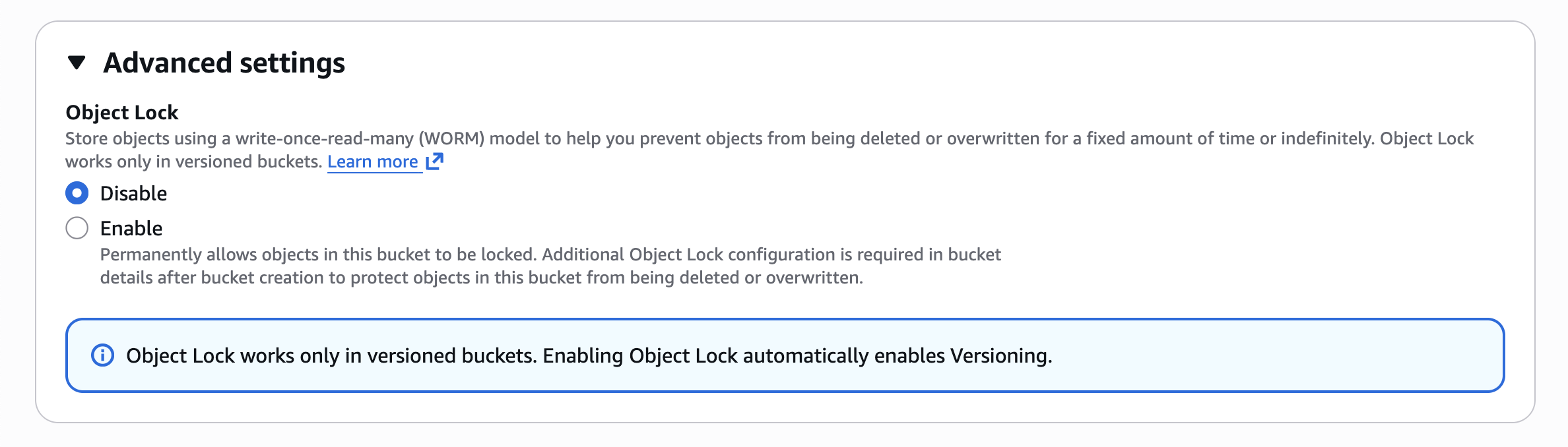
S3 Object Lock uses a write-once-read-many (WORM) model and can help meet regulatory requirements that require WORM storage. (Locking objects with Object Lock)
3E) Cost warning: Data Events can surprise you
AWS states that data events have additional charges and are often high-volume. (Logging data events)
AWS documents that the first copy of management events in each Region is delivered free of charge, and additional copies can incur charges. (Managing CloudTrail trail costs)
CloudTrail pricing distinguishes management events from data events and lists separate per-event pricing. (AWS CloudTrail pricing)
Practical guidance: start with management events, then selectively enable data events only where you truly need object-level visibility (for example, a high-risk bucket). (Logging data events)
Step 4: Enable AWS Config for "what existed when" proof
AWS Config tracks changes in resource configurations and delivers configuration history and snapshots to S3. (How AWS Config Works)
4A) Set up recorder + delivery channel (and do the bucket policy correctly)
AWS Config delivers data to an S3 bucket through its delivery channel, and AWS provides required bucket policy patterns for the delivery channel. (Permissions for the Amazon S3 Bucket for the AWS Config Delivery Channel)
4B) Understand the two evidence artifacts: History files vs Snapshots
AWS Config delivers configuration history files and configuration snapshots to the S3 bucket you specify. (How AWS Config Works)
- AWS Config sends a configuration history file every six hours per recorded resource type, containing details about resources that changed in that period. (How AWS Config Works)
- AWS Config generates configuration snapshots on demand (via API or CLI) and stores them in the same S3 bucket. (Delivering Configuration Snapshots to an Amazon S3 Bucket)
Use history files to show change timelines for specific resources. (How AWS Config Works)
Use snapshots to show point-in-time inventory across recorded resources. (AWS Config Documentation)
AWS Config's console timeline view shows when configuration items were recorded for a resource. (Amazon Config FAQs)
4C) Important nuance: Object Lock default retention can break AWS Config delivery
AWS Config does not support delivering to an S3 bucket where Object Lock is enabled with default retention enabled. (Working with the Delivery Channel)
Practical guidance: keep CloudTrail logs in an Object Lock bucket if you want WORM, and keep AWS Config delivery in a separate bucket without default retention. (Working with the Delivery Channel)
Step 5: Centralize security services using delegated admin (Organizations)
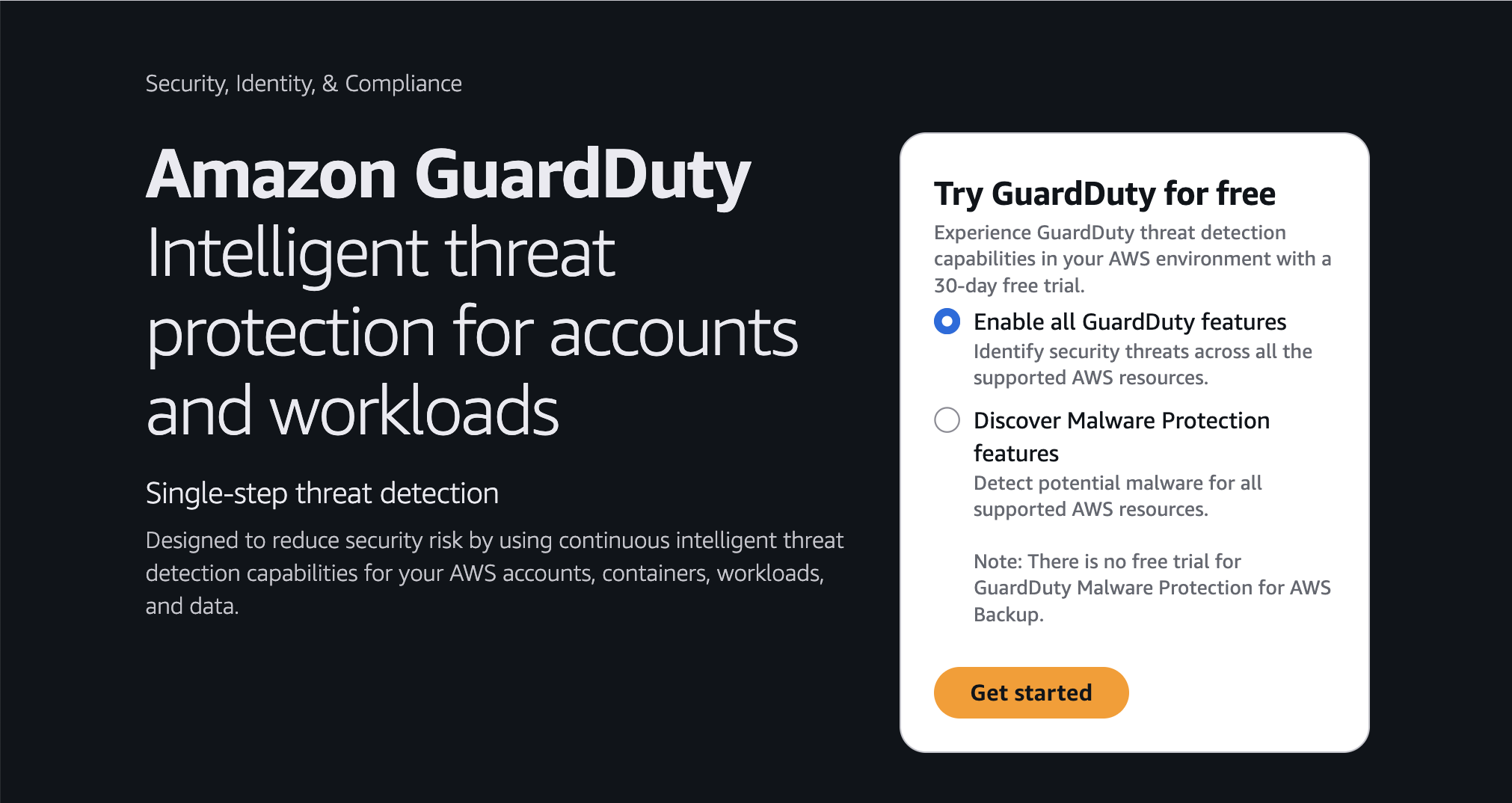
AWS allows you to designate a delegated administrator account for GuardDuty in an organization. (Managing GuardDuty accounts with AWS Organizations)
AWS also supports designating a delegated administrator for Security Hub CSPM, and AWS recommends that the organization management account is not the delegated Security Hub CSPM administrator account. (Integrating Security Hub CSPM with AWS Organizations)
Step 6: Least privilege, with evidence, using IAM Access Analyzer
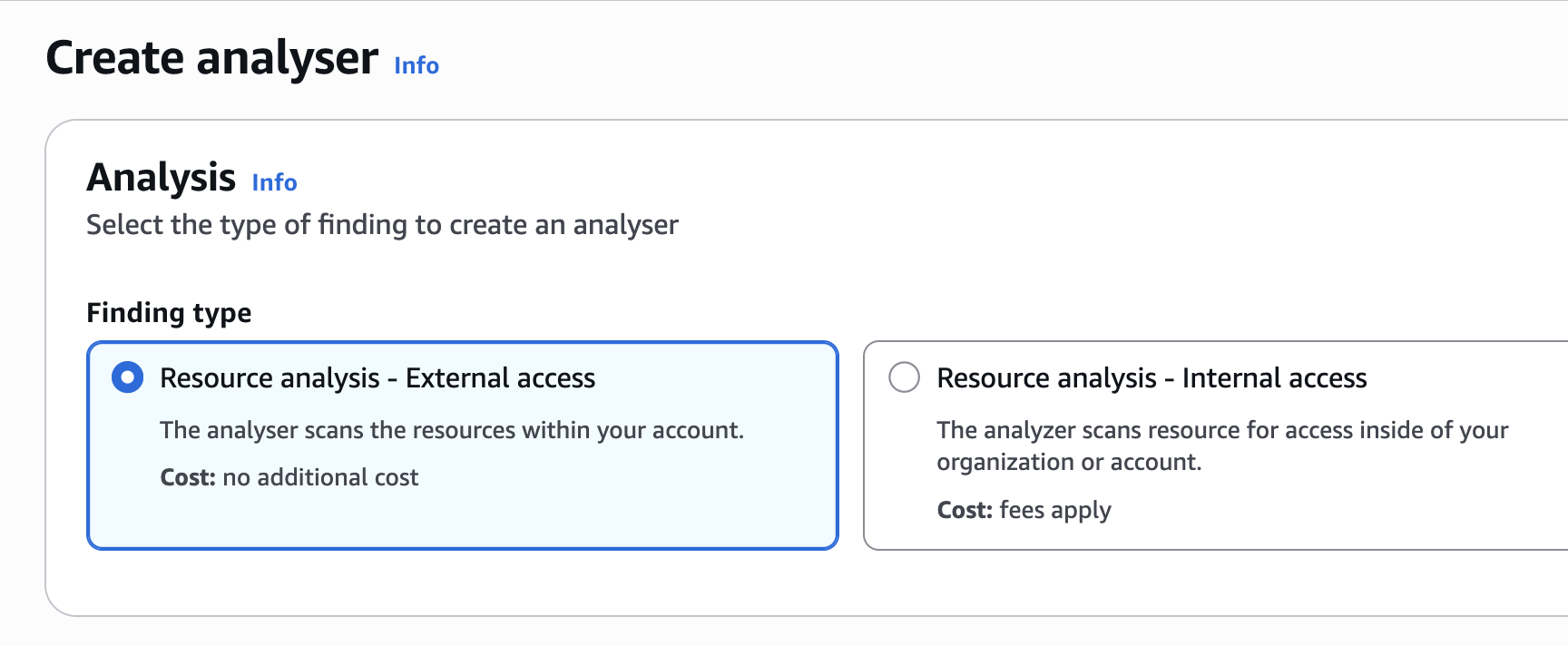
IAM Access Analyzer can generate an IAM policy based on actual access activity for a user or role by analyzing AWS CloudTrail logs. (IAM Access Analyzer policy generation)
This lets you refine permissions based on observed actions within a defined date range. (IAM Access Analyzer policy generation)
Step 7: Backups that survive audits: immutability plus restore proof
AWS Backup uses backup vaults as containers for backups and organizes recovery points. (Backup vaults)
AWS documents logically air-gapped vaults and notes they come equipped with a vault lock in compliance mode. (Logically air-gapped vault)
Restore testing (the part many teams forget)
AWS Backup supports restore testing plans where you define frequency and targets for restore tests. (Restore testing)
Step 8: Do not forget the cloud provider evidence: AWS Artifact
AWS Artifact provides on-demand access to AWS security and compliance reports and agreements. (AWS Artifact - security compliance management)
AWS Artifact documentation shows how to download AWS reports (including SOC reports) from the console. (Downloading reports in AWS Artifact)
AWS SOC FAQs state that AWS SOC 1 and SOC 2 reports are available to customers from AWS Artifact. (AWS Cloud Security - Compliance Programs)
Step 9: Organize your "evidence folder" so it is usable under pressure
One simple approach is a single folder structure (in a secured internal doc repo or a restricted S3 prefix) that points to:
- CloudTrail — trail ARN, log bucket, and validation procedure. (Validating CloudTrail log file integrity with the AWS CLI)
- AWS Config — bucket location, plus how to pull snapshots and interpret history files. (Delivering Configuration Snapshots to an Amazon S3 Bucket)
- AWS Backup — vault(s), logically air-gapped vault settings, and restore testing plan outputs. (Logically air-gapped vault)
- AWS Artifact — report download steps and the latest downloaded reports. (Downloading reports in AWS Artifact)
Final checklist (copy into your internal runbook)
- IAM Identity Center for human access. (AWS Identity and Access Management best practices)
- Phishing-resistant MFA (FIDO2) enabled where possible. (Available MFA types for IAM Identity Center)
- CloudTrail multi-Region (or organization trail) enabled. (Working with CloudTrail trails)
- CloudTrail log file integrity validation enabled, and validate-logs documented. (Validating CloudTrail log file integrity)
- S3 Object Lock (WORM) used for CloudTrail logs if you need tamper resistance. (Locking objects with Object Lock)
- Data Events enabled selectively with cost awareness. (Logging data events)
- AWS Config recorder + delivery channel running with correct S3 bucket policy. (Permissions for the Amazon S3 Bucket for the AWS Config Delivery Channel)
- AWS Config history vs snapshot usage documented. (Understanding the differences between configuration history and configuration snapshot files in AWS Config)
- Delegated admin set for GuardDuty and Security Hub CSPM (not the management account for Security Hub CSPM). (Managing GuardDuty accounts with AWS Organizations)
- IAM Access Analyzer policy generation used to tighten least privilege. (IAM Access Analyzer policy generation)
- AWS Backup logically air-gapped vault and restore testing plans configured. (Logically air-gapped vault)
- AWS Artifact reports downloadable and stored. (Downloading reports in AWS Artifact)
Want to make this audit-ready baseline real in your AWS account?
Book a free 30-minute Audit Readiness Baseline with StationOps. We will review Identity Center, CloudTrail integrity, AWS Config delivery, least privilege tightening, and backup restore testing, then send a prioritized list of fixes and the exact evidence each one produces.
Book here: calendly.com/stationops-discovery-call/30min
Check us out at stationops.com